

E-Billing
Online Billing & Payment
View, download, and pay your Bow River Gas Co-op bill from your computer, tablet, or phone.
START HERE – First time using the billing portal?
Click the button below to open the billing portal and begin creating your account.
Open Billing Portal
The portal opens in a new tab so you can keep these instructions open.
Create your portal account (first-time setup)
Open the billing portal here (opens in a new tab):
portal.bowrivergas.ca
portal.bowrivergas.ca
Tip: To return here, click the E-Billing tab at the top of your browser.
Step 1 — Register your email
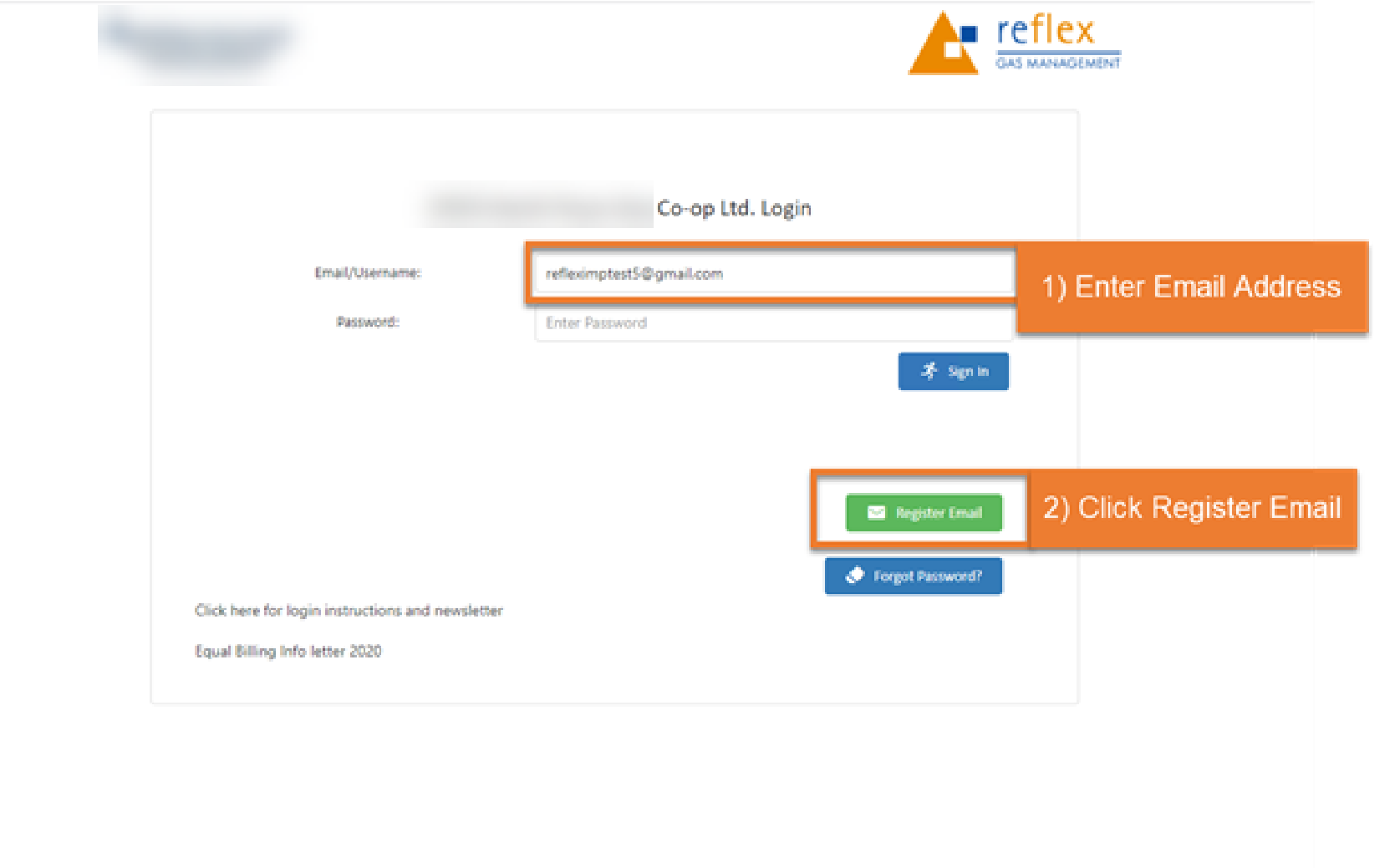
- Type your email address in the Email/Username box.
- Click Register Email (not Sign In).
Step 2 — Create your account
- Check your email for a message from Bow River Gas Co-op.
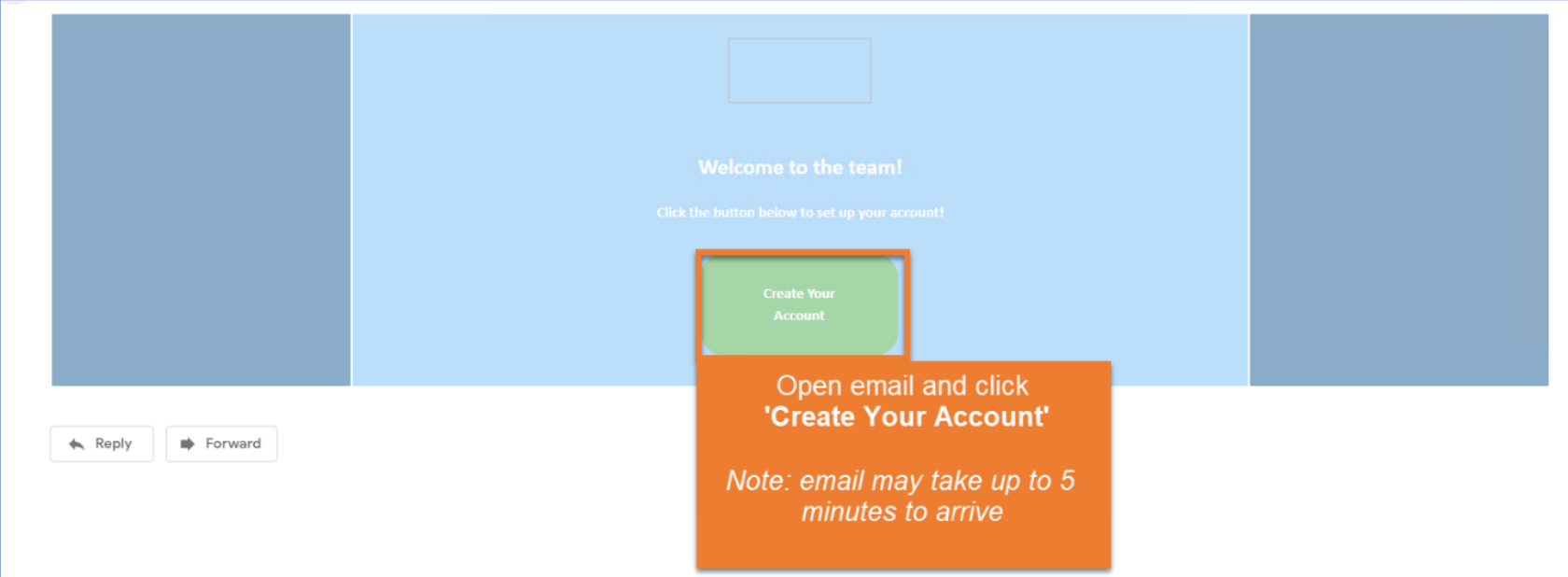
- Open the email and click Create Your Account.
Most common issue
For first-time setup, click Register Email (not Sign In).
Important
Use the same email address that Bow River Gas Co-op has on file for your account.
Note: The registration email may take up to 5 minutes to arrive.
If you do not see it, please check your spam or junk folder.
Quick actions

OptionPay: Make a quick payment without logging in.
Open Billing Portal
Billing Portal: View bills, statements, and account details.
Example: What you will see during registration
These screenshots match the portal screens.
Step 1 — Register Email: Enter your email address and click Register Email.
Step 2 — Create Your Account: Open the email and click Create Your Account.
Trouble signing in?
If you already created an account and forgot your password, use Forgot Password on the portal login page.
Need help?
Please call our office and we will be happy to help you create your portal account.
Bow River Gas Co-op
403-654-2233
Please call our office and we will be happy to help you create your portal account.
Bow River Gas Co-op
403-654-2233